
What an IT Health Check Should Actually Include
Spot the warning signs of outdated office Wi-Fi before slow speeds, dropped calls, and device overload start costing your team time.
A lot of businesses know they probably need an IT assessment. Fewer know what a good one should actually cover.
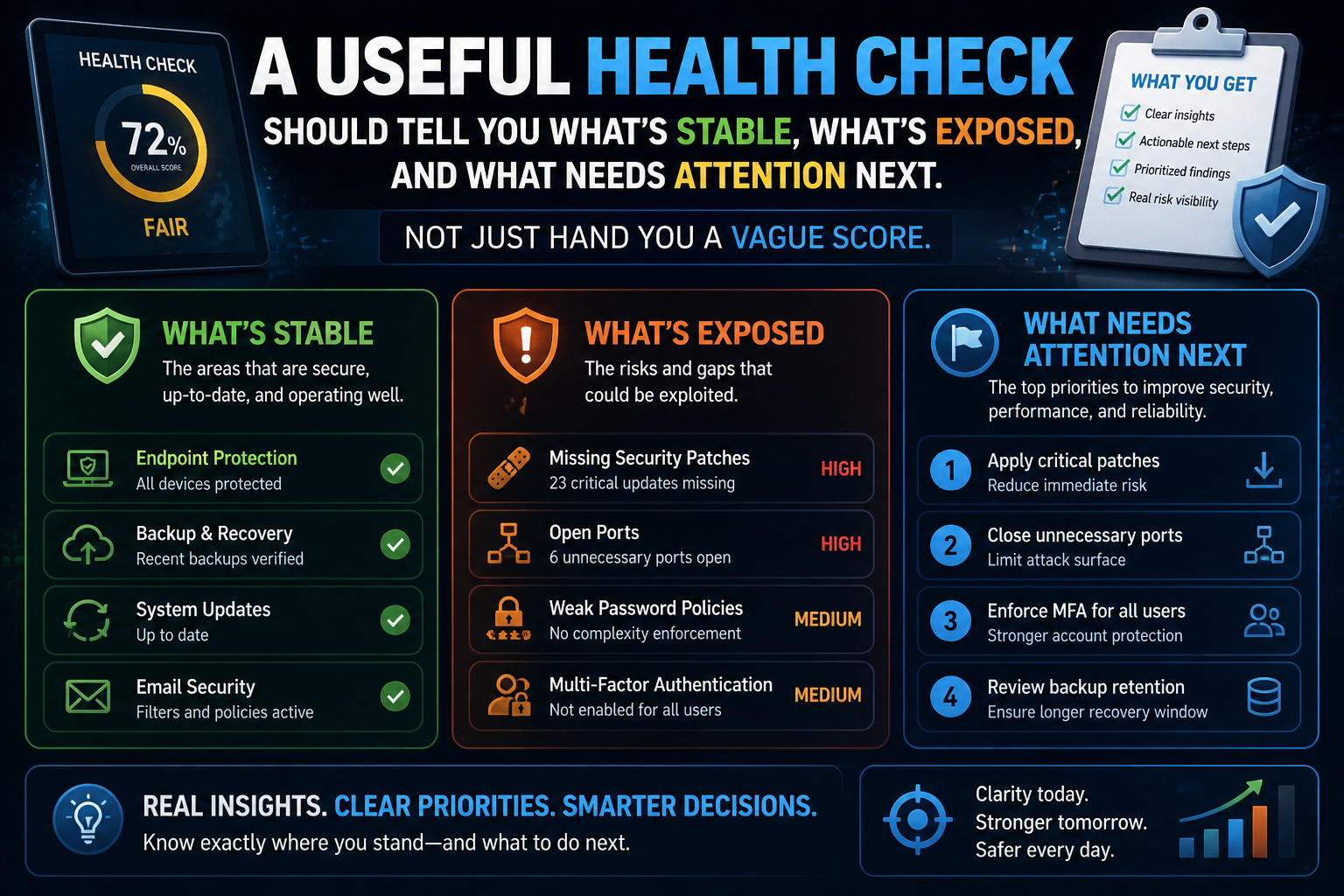
Too often, a so-called health check is little more than a quick device count, a look at internet speed, and a few generic observations dressed up like a diagnosis. That may be better than nothing, but it does not tell leadership what is healthy, what is risky, or what should be fixed first.
A real IT health check should answer a more useful question:
If something important went wrong tomorrow, where would the business be strong and where would it be exposed?
Start with Visibility
You cannot evaluate what you cannot see.
A strong assessment should build a clear picture of:
Users
Devices
Operating systems
Core applications
Network equipment
Wireless coverage
Internet dependencies
Backup tools
Security controls
Vendors and platforms in use
For many businesses, simply organizing this inventory reveals gaps immediately. Unknown devices, unmanaged systems, expired licenses, or mystery accounts often surface before deeper technical issues even begin.
Review Identity and Access
User access is one of the most important parts of a health check because identity problems often create big downstream risk.
Look at questions like:
Are former employees fully offboarded?
Is multi-factor authentication enabled where it should be?
Do users have more access than they need?
Are admin accounts controlled appropriately?
Are shared accounts still in use?
Is password management standardized?
If the answer to several of those questions is “maybe,” the health check is already earning its keep.
Check Endpoints, Patching, and Device Condition
Health is not just about whether a device turns on. It is also about whether it is supportable, secure, and aligned with current business needs.
A meaningful review should consider:
Update status
Aging hardware
Antivirus or endpoint protection presence
Encryption status
Remote management capability
Local admin practices
Disk health and performance issues
This is often where businesses discover a split reality: the environment looks mostly fine from ten feet away, but under the hood it is held together with old assumptions and optimistic sighing.
Evaluate the Network, Not Just the ISP
Internet speed tests are useful. They are not a complete network assessment.
A broader review should include:
Firewall condition and age
Switch capacity
Wi-Fi design
Segmentation between business and guest traffic
Remote access methods
Device density
Monitoring visibility
If users complain about slowness, the cause may be wireless design, cabling, switching, or saturation, not simply the provider.
Verify Backup and Recovery Readiness
Backups should be reviewed as part of health, not only after a disaster.
Ask:
What is being backed up?
How often?
Where is it stored?
Who receives failure alerts?
When was the last restore test?
Are cloud platforms included in the plan where appropriate?
A business that says “we have backups” but has not tested recovery recently is holding confidence on borrowed time.
Look at Security Habits, Not Just Security Tools
A strong health check evaluates operations as well as technology.
That includes:
Phishing and awareness training status
Onboarding and offboarding process
Incident response readiness
Vendor management habits
Asset tracking
Documentation quality
Change control discipline
Security tools can be present while security habits remain weak. Both matter.
Prioritize Findings by Business Impact
The best assessments do not dump thirty observations into leadership’s lap and wander away.
They group findings into something practical:
Urgent risks
Important improvements
Efficiency opportunities
Lifecycle planning items
Longer-range recommendations
That helps owners and managers make decisions without feeling like the environment must be rebuilt from scratch in one dramatic afternoon.
Health Checks Should Lead to a Roadmap
A useful IT health check is not just a report card. It is a map.
You should leave the process knowing:
What is working well
What needs immediate attention
What can wait
What should be budgeted
Where policy or training is needed
What support model makes sense next
If an assessment only tells you that technology is “important,” congratulations, you have paid for a weather report that says the sky exists.
Good Assessments Create Confidence
The point of an IT health check is not to create panic. It is to reduce uncertainty.
When leadership understands the environment clearly, it becomes easier to plan purchases, reduce risk, support staff, and decide where expert help adds value.
CCI helps businesses perform practical IT health checks that focus on visibility, security, resilience, and next-step planning. Because a good assessment should not leave you with more fog. It should leave you with a sharper view and a smarter next move.
📞 Call: 615-928-2438
🌐 Visit: www.cciustn.com