
Microsoft 365 Agreements Explained: MCA, MOSA, and MPA Made Simple
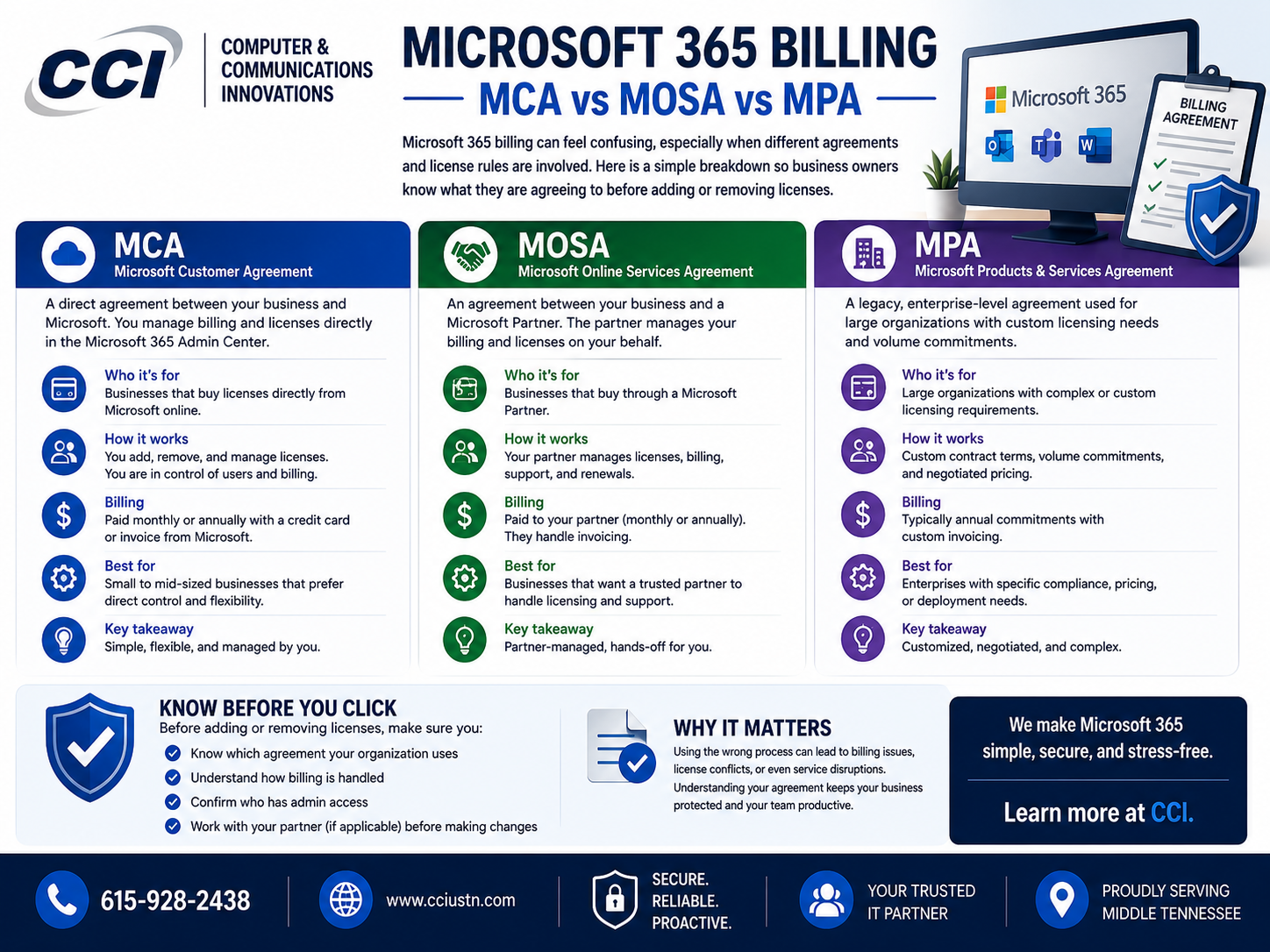
Microsoft 365 is supposed to make business easier, but billing and licensing can quickly become confusing. Let’s dumb it down.
Think of a Microsoft 365 agreement as the rulebook for your subscription. It determines who manages billing, how your subscription renews, and when you can make changes.
The first agreement is the Microsoft Customer Agreement, also called MCA.
MCA is the modern agreement Microsoft uses for many customers who buy directly from Microsoft or through authorized partners. It is designed to simplify Microsoft cloud service terms and support newer billing structures under the New Commerce Experience, often called NCE.
Under MCA, customers may have monthly or annual subscription terms. The important thing to understand is this: you can usually add licenses anytime, but reducing or canceling licenses is restricted after the allowed cancellation window.
The second agreement is the Microsoft Online Subscription Agreement, also called MOSA.
MOSA is the older agreement used by many legacy Microsoft 365 customers. It is still valid for some older accounts, but Microsoft has been moving customers toward MCA for a more consistent billing experience.
With MOSA, billing is typically tied to subscription orders and renewal dates. Customers may still run into confusion when they add licenses mid-term or try to reduce licenses before renewal.
The third agreement is the Microsoft Partner Agreement, also called MPA.
MPA applies to Cloud Solution Provider partners, also known as CSP partners. This is the agreement structure used when a Microsoft partner manages customer subscriptions, billing, and support. For customers, the rules often feel similar to MCA/NCE because term commitments and cancellation windows still matter.
Here is the simple version:
MCA is the modern Microsoft agreement.
MOSA is the older legacy agreement.
MPA is used when a Microsoft partner manages the customer relationship.
The biggest point for business owners is not just which agreement they have. It is understanding the commitment term attached to the licenses.
Microsoft 365 subscriptions may be monthly or annual. Monthly terms usually offer more flexibility but cost more. Annual terms usually cost less but lock the customer into a longer commitment.
This is where frustration happens.
A customer may remove a license from a terminated employee and assume that means the billing also stops. But license assignment and subscription billing are not the same thing.
Removing a license from a user means that person no longer has access to the service. But the business may still be financially responsible for that license if the subscription term is locked.
For example, if a company adds five annual licenses in the middle of the year, those licenses may create a term commitment. If the company tries to remove them later, they may not be able to reduce billing until the cancellation window or renewal period.
That is why planning matters.
Before adding licenses, business owners should ask:
How long will this employee need access?
Is this a permanent hire or temporary workers
Should this be monthly or annual?
When does our subscription renew?
Will this new license create a separate commitment?
These questions can prevent billing surprises later.
The best rule of thumb is simple:
If your headcount is stable, annual licenses may make sense.
If your headcount changes often, monthly licenses may be safer.
If you are hiring temporary staff, interns, contractors, or seasonal employees, flexibility may be worth the higher monthly cost.
Microsoft 365 billing is not impossible to understand. It just needs to be explained before the customer is already frustrated.
At CCI, we help businesses understand what they are buying, how their licenses work, and what options make the most sense before changes are made.
Final Thoughts
Adding Microsoft 365 licenses is easy. Removing them is where the rules matter.
If your business is not sure which Microsoft agreement you are under or when your licenses renew, Computer & Communication Innovations can help you review your Microsoft 365 subscription before the next billing surprise shows up.